
 UEM Policy Builder
The problem it solves
Getting from “we need a policy” to a console build is slow. Vendor docs are long, every console names settings differently, and teams still end up debating values in spreadsheets while the estate stays open.
UEM Policy Builder gives you a documented, platform-specific design for Workspace ONE or Microsoft Intune, so your team can review the intent, the values and the console steps before anyone clicks Apply.
What you get
- Platform-specific policy designs for Workspace ONE or Microsoft Intune (more platforms coming soon): profiles, compliance rules and restrictions shaped by your industry, country, data sensitivity and hosting choices.
- A Low-Level Design (LLD) written for an engineer to build from: design, reason, values, console steps and public vendor sources, with open decisions called out for review.
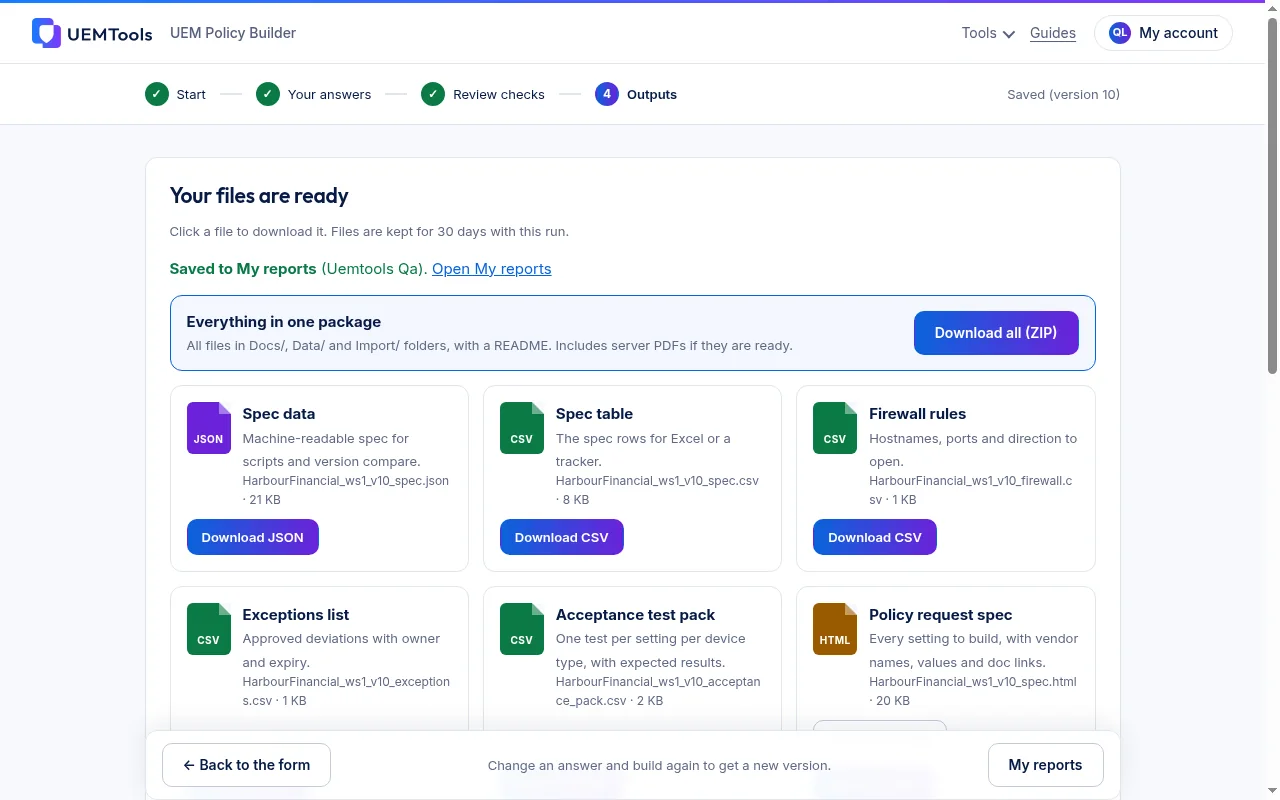
- A settings sheet (CSV) of the recommended settings, with intent, console area and values, ready to share and track.
- Checklists your team can use to test and sign off before go-live.
- An export pack (PDF, CSV and related files) downloaded from your free UEMTools.com account, so security, operations and the build team work from one set of documents.
- Source links back to the UEMTools.com setting rules and official vendor documentation for the settings in your design.
They are design documents for your team. Nothing is pushed to your tenant. Verify each setting in your own console before you apply it.
How it works
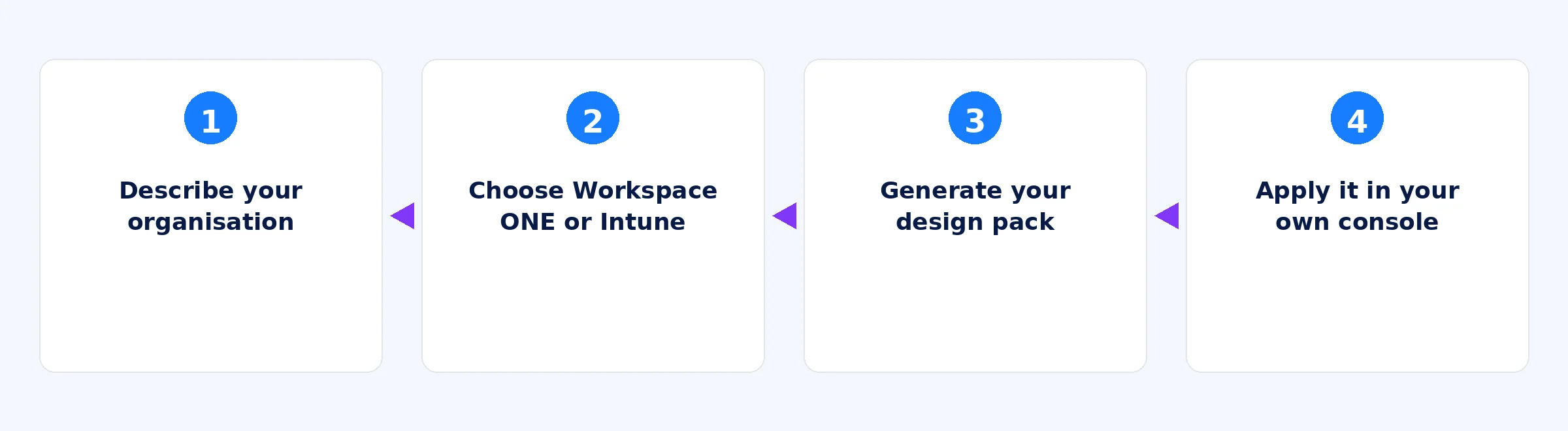
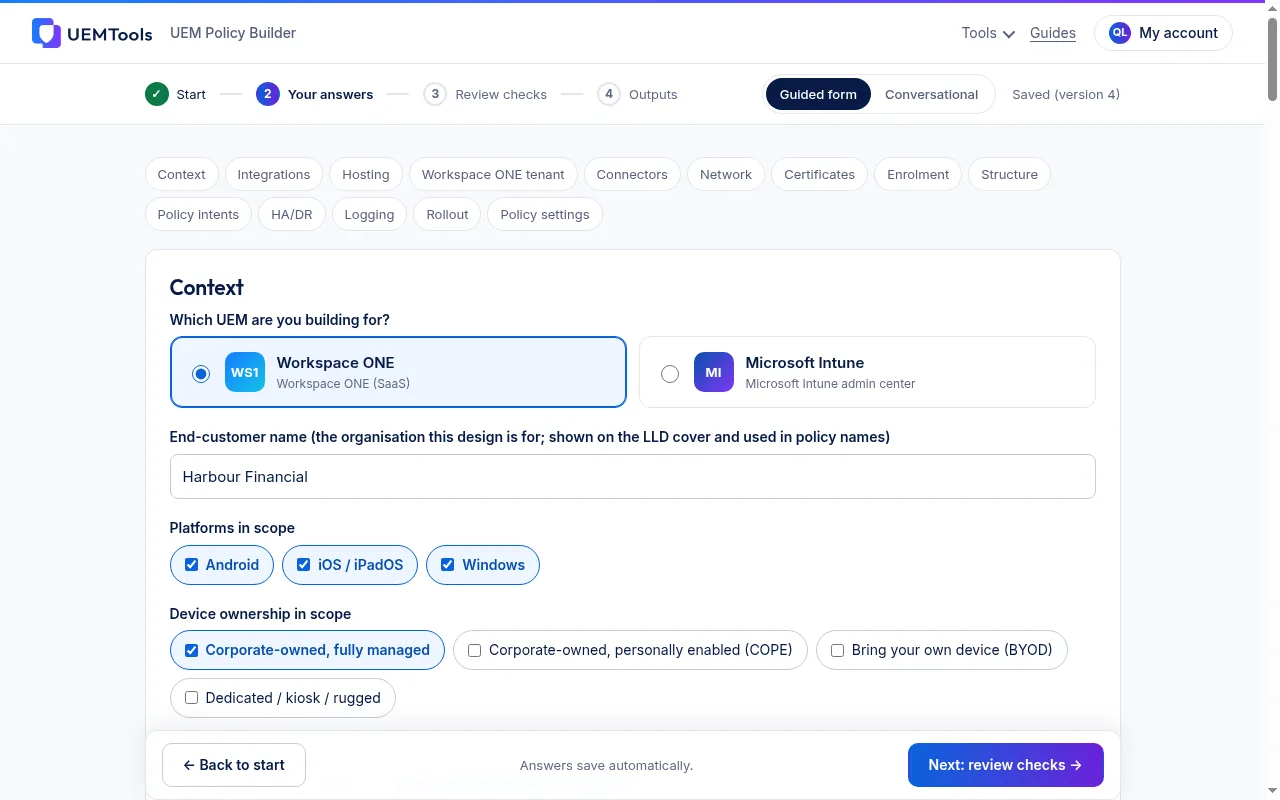
- Describe your organisation. Answer guided questions on industry, country, data sensitivity and hosting, plus the device platforms and ownership models in scope (pilot: iOS, Android and Windows).
- Choose your platform. Pick Workspace ONE or Microsoft Intune for this design. More platforms are coming soon.
- Generate your design. UEM Policy Builder produces the LLD, settings sheet (CSV), checklists and export pack for that platform. Full features are free during early access while we gather feedback.
- Apply it in your console. Sign in or create a free UEMTools.com account with your work email to download the pack, review it with your team, then configure the settings yourself. UEMTools.com does not connect to or change your tenant.
Who it’s for
Teams already on Workspace ONE or Intune
Move from a blank console to a reviewed design: profiles, compliance and restrictions you can walk through before build.
Enterprises standardising a fleet
Give security, operations and the build team one LLD and workbook for the same platform, instead of scattered notes and screenshots.
Admins preparing a new ownership model
Use the design when you add fully managed, work profile or other ownership modes, and close open decisions before go-live.
How it differs from Policy Blueprint (UEM)
Both tools stay live. Use the one that matches where you are.
Policy Blueprint (UEM) gives you a vendor-neutral recommended set of device policies before you choose or configure a platform. UEM Policy Builder gives you Workspace ONE or Microsoft Intune designs you apply in your own console. Not on a platform yet? Start with Policy Blueprint. Already running Workspace ONE or Intune? Use UEM Policy Builder.
| Policy Blueprint (UEM) | UEM Policy Builder |
|---|---|
| Vendor-neutral starting point | Platform-specific design |
| Agreeing what good looks like before you choose or configure a platform | Already running Workspace ONE or Microsoft Intune and need designs to apply |
| Recommended device policy pack, rationale, overlays, support ratings | LLD, settings sheet (CSV), checklists, export pack for one platform |
| Refine the pack with your team | Verify settings in your console, then apply them yourself |
Design it once. Apply it in your console.
Get platform-specific policy designs for Workspace ONE or Microsoft Intune, free during early access, then verify and apply them yourself.